
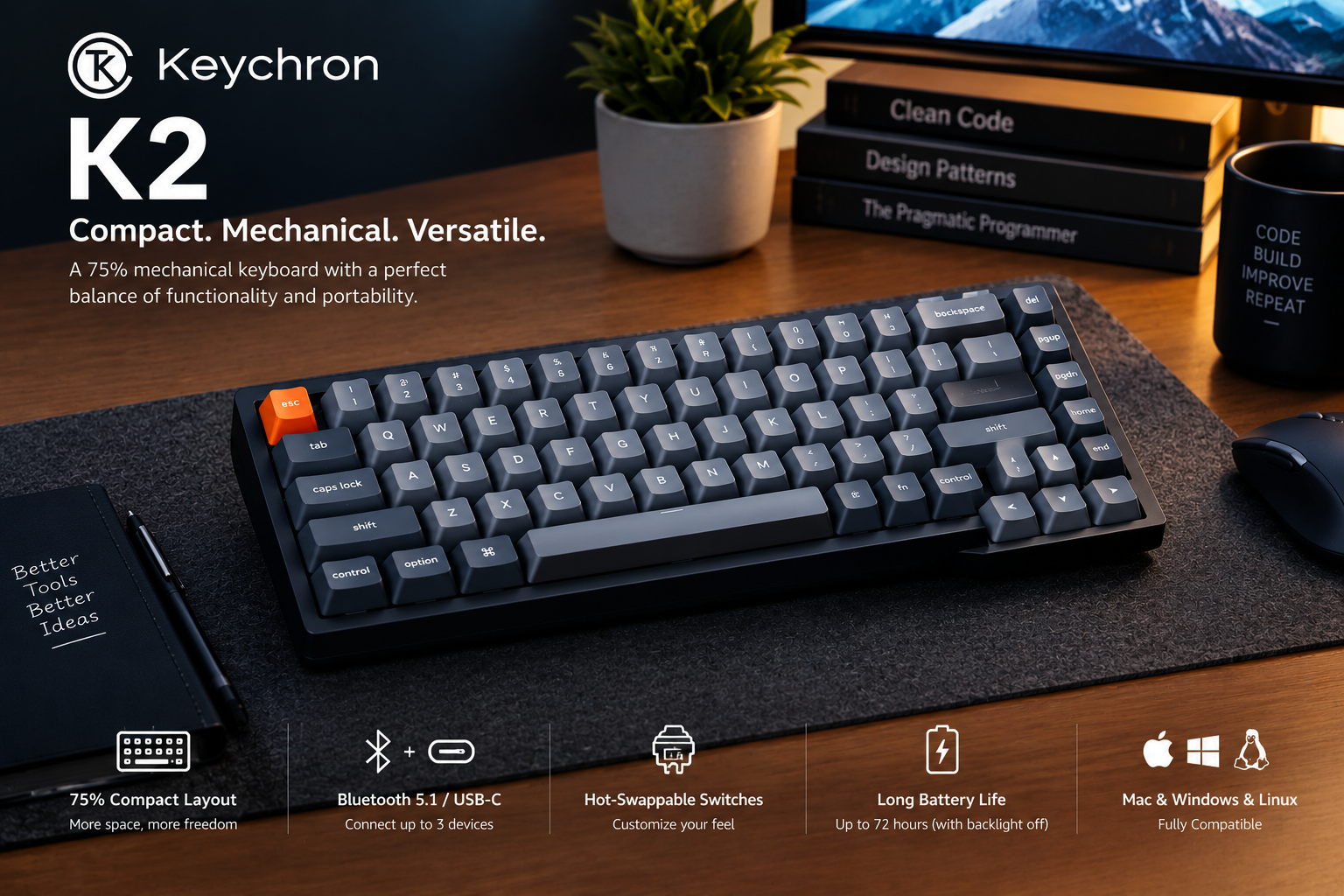
Choosing between the Keychron K2 and Keychron K8 can be challenging if you want a wireless mechanical keyboard for programming, office work, or everyday computer use. Both models offer mechanical typing, wireless connectivity, and a compact alternative to a traditional full-size keyboard. However, their layouts make them suitable for slightly different needs.
The Keychron K2 uses a compact 75% layout, which keeps the function row, arrow keys, and essential navigation keys in a relatively small footprint. The Keychron K8 uses a tenkeyless (TKL) layout, providing a more spacious arrangement of navigation keys while removing the number pad.
For programmers, the choice often comes down to desk space and keyboard layout. If you prefer a compact keyboard for a smaller workstation, the K2 may be the better fit. If you frequently use navigation keys and prefer a layout closer to a traditional keyboard, the K8 deserves a closer look.
In this comparison, we examine the Keychron K2 vs K8, including their layout, typing experience, connectivity, battery life, customization options, advantages, disadvantages, and suitability for coding.
Quick verdict: Choose the Keychron K2 if you want a compact 75% layout. Choose the Keychron K8 if you prefer a tenkeyless layout with more space around the navigation keys. Neither is universally better; your preferred layout should guide your decision.
Compare Keychron K2 keyboards on Amazon
Compare Keychron K8 keyboards on Amazon
Keychron K2 vs K8: Quick Comparison
| Feature | Keychron K2 | Keychron K8 |
|---|---|---|
| Keyboard layout | 75% compact | 80% tenkeyless (TKL) |
| Number of keys | Commonly 84 keys | Commonly 87 keys |
| Number pad | No | No |
| Function row | Yes | Yes |
| Arrow keys | Yes | Yes |
| Navigation-key arrangement | More compact | More spacious TKL layout |
| Wireless connectivity | Bluetooth, depending on version | Bluetooth, depending on version |
| Wired connectivity | USB-C | USB-C |
| Battery | Common versions use 4,000 mAh | Common versions use 4,000 mAh |
| Switch options | Depends on version | Depends on version |
| Hot-swappable | Available on selected versions | Available on selected versions |
| Backlighting | Depends on version | Depends on version |
| Operating systems | Common versions support macOS and Windows; Linux support varies by version documentation | Common versions support macOS and Windows; Linux support varies by version documentation |
| Best for | Compact desk setups | Users who prefer a roomier TKL layout |
This table summarizes common versions, not every revision or regional configuration. Check the exact product listing before purchasing. Keychron has released updated K2 and K8 variants with different specifications.
1. Keychron K2 vs K8: Understanding the Layout Difference
The most important difference between the Keychron K2 and K8 is their keyboard layout.
Keychron K2: Compact 75% Layout
The Keychron K2 is designed for users who want many of the essential keys of a standard keyboard in a compact arrangement.
Its 75% layout typically includes:
- A function row for shortcuts and function keys.
- Dedicated arrow keys.
- A compact group of navigation keys.
- A standard alphanumeric typing area.
- No dedicated number pad.
Because the keys are arranged more tightly, the K2 can leave more room for a mouse on a small desk. This can be useful if you use a laptop stand, external monitor, or other desk accessories.
However, the compact arrangement may take some time to get used to if you are accustomed to a full-size keyboard.
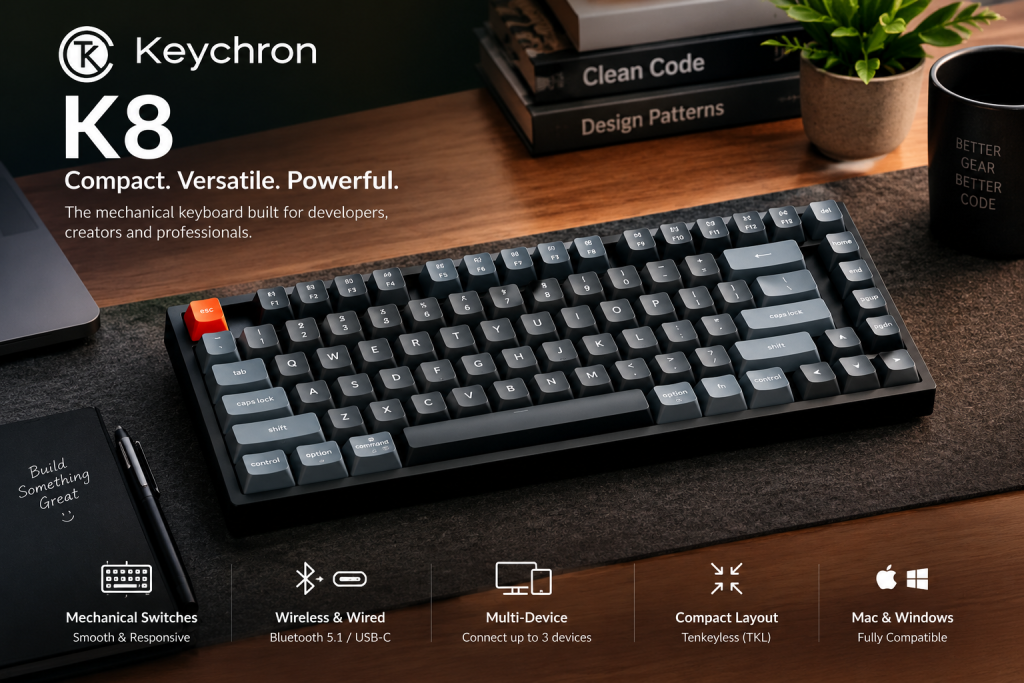
Keychron K8: Tenkeyless Layout
The Keychron K8 uses a tenkeyless layout, commonly with 87 keys in its ANSI version. It removes the number pad but retains a more spacious arrangement of the main typing area, function row, arrow keys, and navigation keys.
The K8 may be a better fit if you frequently use keys such as Home, End, Page Up, and Page Down and prefer them in a more conventional arrangement.
Its layout still saves desk space compared with a full-size keyboard, but it generally occupies more width than the compact K2.
Which layout is better for programmers?
- Choose the K2 if you want to maximize desk space and are comfortable with a compact arrangement.
- Choose the K8 if you prefer a more spacious TKL layout and regularly use navigation keys.
- Consider a full-size keyboard if your work requires frequent numerical data entry and you need a dedicated number pad.
For more options, see our guide to the best mechanical keyboards for programmers.
2. Typing Experience: Keychron K2 vs K8
Both the K2 and K8 are mechanical keyboard families, but the typing experience depends on the specific version and switch configuration you choose.
Keychron has offered different switch types across its product range, including linear, tactile, and clicky options on selected models.
Linear switches
Linear switches move without a pronounced tactile bump. They may suit programmers who prefer a smooth keypress for everyday typing, shortcuts, and gaming.
Tactile switches
Tactile switches provide a noticeable bump during the keypress. Some users prefer this feedback for typing code and text.
Clicky switches
Clicky switches provide tactile feedback with an audible click. They can be enjoyable for some typists, but the noise may be distracting in shared offices or during calls.
Does the K2 feel different from the K8?
The two keyboards may feel different because of their layout, key placement, and particular hardware configuration. However, it would be inaccurate to claim that one model automatically provides a better typing experience in every version.
For a fair comparison, choose versions with comparable switches and keycaps.
Our recommendation: If possible, try the switch type before buying. The switch you prefer may matter more to your typing satisfaction than the difference between the K2 and K8 layouts.
3. Which Keyboard Is Better for Coding?
Both keyboards can be suitable for programming. They provide the keys needed for coding, terminal commands, text editing, and everyday development work.
The best choice depends on how you use your keyboard.
Why programmers may prefer the Keychron K2
The K2 is a practical choice for developers who work at a compact desk or want more room for their mouse.
It can suit:
- PHP and Laravel developers.
- JavaScript and React developers.
- Python programmers.
- Students learning programming.
- Remote workers using a laptop and external monitor.
Its compact layout may take a little adjustment, particularly if you frequently use navigation keys.
Why programmers may prefer the Keychron K8
The K8 may suit developers who prefer a more spacious layout without moving to a full-size keyboard.
It can be a good option if you frequently use:
- Arrow keys for navigating source code.
- Home and End for moving through lines.
- Page Up and Page Down for scrolling through documents.
- Function keys and keyboard shortcuts in an IDE.
- A mouse alongside the keyboard throughout the day.
The K8 still lacks a dedicated number pad, so users who enter large amounts of numerical data may want a full-size alternative.
Which is better for coding?
There is no universal winner. Both are capable mechanical keyboards for programming. Choose the K2 for a smaller footprint or the K8 for a more spacious TKL arrangement.
4. Desk Space and Portability
Desk space can make a noticeable difference when you are building a developer workstation.
Keychron K2: Better for compact desks
The K2’s compact 75% arrangement generally uses less horizontal space. That leaves more room for a mouse, notebook, or other equipment.
It may be especially useful if your setup includes:
- A laptop and external monitor.
- A small home-office desk.
- A compact workstation in a shared room.
- Multiple accessories that compete for desk space.
Keychron K8: More room around the keys
The K8’s TKL layout is wider than the K2’s in common versions. In return, it provides a more spacious key arrangement.
If you often use the navigation keys, you may find this layout more familiar.
Both keyboards can be moved between workspaces, but they are mechanical keyboards with substantial cases compared with many lightweight laptop keyboards. Neither should be chosen solely because you expect an ultralight travel keyboard.
Buying tip: Check the exact dimensions and weight of your selected version. Aluminum components and different case designs can affect both.
5. Wireless Connectivity: Keychron K2 vs K8
Common versions of both keyboards support Bluetooth and USB-C wired connectivity. This allows you to use a wireless connection for convenience or connect by cable when preferred.
Bluetooth connectivity
Bluetooth can be useful when you work across compatible devices, such as a desktop computer, laptop, or tablet.
Depending on the version, the keyboard may support switching between multiple paired devices. Confirm the exact device-switching support in the product specifications.
USB-C wired connectivity
A USB-C cable can provide a direct connection to your computer and can also be used to charge the keyboard.
Wired mode is useful when you do not want to rely on battery power or prefer to keep the keyboard connected to your main workstation.
Which is better for a multi-device setup?
Neither model is automatically better based on connectivity alone. Check the exact version for Bluetooth specifications and multi-device support.
If you need a 2.4GHz wireless receiver as well as Bluetooth, do not assume that a standard K2 or K8 includes it. Look for a version that explicitly lists 2.4GHz connectivity, such as an appropriate model in Keychron’s K Max range.
6. Battery Life: Which Keyboard Lasts Longer?
Many common K2 and K8 versions use a 4,000 mAh rechargeable battery. However, the estimated battery life can vary by model, backlighting, and operating conditions.
Manufacturer specifications for some classic K-series versions quote up to 240 hours with backlighting off. Some newer variants have different stated estimates.
RGB lighting generally consumes more power than using the keyboard without backlighting. Brightness, connection mode, and usage also affect the result.
How to get more battery life
- Turn off backlighting when it is not needed.
- Reduce RGB brightness.
- Check the specifications of the exact version you intend to buy.
- Connect through USB-C when convenient.
- Treat advertised battery life as an estimate rather than a guarantee.
Our recommendation: Do not choose between the K2 and K8 based on battery capacity alone. Compare the battery-life estimates for the exact configurations you are considering.
7. Hot-Swappable Switches and Customization
Some versions of both the Keychron K2 and K8 are hot-swappable, while other versions may not offer this feature.
A hot-swappable keyboard allows compatible switches to be replaced without soldering. This is useful if you want to experiment with different switch feels or replace a faulty switch.
Before buying, check whether the listing specifically says hot-swappable. Do not assume that every version of the same keyboard has this capability.
Also verify switch compatibility. Hot-swappable sockets support specific switch types and pin configurations, so not every mechanical switch will necessarily fit.
What about keycaps?
Keycaps can often be replaced on compatible mechanical keyboards. The exact fit depends on the switch stem, keycap profile, layout, and stabilizer arrangement.
Customization can be useful, but it is not essential for programming. If you want a keyboard that supports extensive firmware-based key remapping, compare models that explicitly advertise those capabilities.
8. Backlighting and Design
Keychron has offered different lighting configurations across K2 and K8 versions, including white backlighting, RGB lighting, and models without backlighting.
Do not assume that a particular listing has RGB lighting simply because another version of the same keyboard does.
Why backlighting may matter
Backlighting can be useful if you work in a dim room or prefer to customize the appearance of your workstation.
However, lighting is largely a personal preference. It does not automatically improve typing speed or coding productivity.
What should you check before buying?
- Whether the model has RGB, white, or no backlighting.
- Whether the keycaps allow light to shine through the legends.
- Whether brightness and lighting effects are adjustable.
- How lighting affects the stated battery life.
- Whether the selected layout matches your preferred region.
If your priority is a simple, distraction-free setup, a version without RGB may be sufficient.
9. Keychron K2 Pros and Cons
Pros
- Compact 75% layout.
- Keeps a function row and dedicated arrow keys.
- Suitable for smaller desks.
- Mechanical switch options vary by configuration.
- Common versions support Bluetooth and USB-C wired operation.
- Some versions support hot-swappable switches.
- Can leave additional space for a mouse.
Cons
- Compact key arrangement may take time to learn.
- No dedicated number pad.
- Navigation keys are arranged more tightly than on a TKL keyboard.
- Switch, lighting, and hot-swap features vary by version.
- The case and key height may require workstation adjustment for some users.
10. Keychron K8 Pros and Cons
Pros
- Tenkeyless layout with a more spacious arrangement than the K2.
- Retains the function row, arrow keys, and navigation keys.
- No number pad, so it occupies less width than a full-size keyboard.
- Common versions support Bluetooth and USB-C wired operation.
- Mechanical switch options vary by configuration.
- Hot-swappable versions are available.
Cons
- Generally wider than the K2.
- No dedicated number pad.
- Mechanical typing noise depends on the switch configuration.
- Hot-swapping and backlighting are not universal across all versions.
- Battery-life estimates vary by revision and lighting configuration.
11. Keychron K2 vs K8: Which One Offers Better Value?
Value depends on the current price of each model and the features included in the specific version.
A lower-priced model is not necessarily the better purchase if it lacks a feature you need. Likewise, paying more for RGB lighting or a particular case design may not make sense if those features are unimportant to you.
Consider the Keychron K2 if:
- You want a compact keyboard.
- You have limited desk space.
- You prefer a 75% layout.
- You want to leave more room for a mouse.
- You are comfortable with compact navigation-key placement.
Consider the Keychron K8 if:
- You prefer a tenkeyless layout.
- You want a more spacious navigation-key arrangement.
- You regularly use Home, End, Page Up, and Page Down.
- You prefer a layout closer to a conventional keyboard.
- You have enough desk space for its wider arrangement.
Check the price before purchasing
Prices and availability can vary by switch, backlighting, case material, layout, seller, and revision. Compare the final price, shipping, return policy, and exact features rather than relying on a model name alone.
For buyers in Bangladesh, check whether the seller ships to your location and confirm the final delivered cost, including shipping and any applicable import charges.
12. Keychron K2 vs K8: Product Recommendation
Recommended for compact setups: Keychron K2
The K2 is a strong option if you want a mechanical keyboard that keeps the main typing area, function row, and arrow keys in a relatively small footprint.
Its compact design can be especially useful for developers who need room for a mouse or have a limited desk area.
Best for: Programmers, students, and home-office users who prioritize compactness.
View Keychron K2 options on Amazon
Recommended for a spacious TKL layout: Keychron K8
The K8 is worth considering if you want a more conventional tenkeyless arrangement. It retains the function row and navigation keys while removing the number pad.
This may suit programmers who frequently move around source code and documents using navigation keys.
Best for: Developers who prefer a roomier layout but do not need a number pad.
View Keychron K8 options on Amazon
Another option: Keychron V5 Max
If you want a number pad and more advanced wireless features, consider the Keychron V5 Max. It uses a compact 96% layout and offers 2.4GHz wireless, Bluetooth, USB-C wired connectivity, and hot-swappable switches.
It is a different layout category from both the K2 and K8, but it may be more suitable if numerical entry is important to your work.
Read our Keychron V5 Max review
13. Tips for Choosing the Right Keyboard for Programming
Before buying the Keychron K2 or K8, consider how you work every day.
Think about your navigation habits
If you regularly use Home, End, Page Up, and Page Down, check which layout feels more natural to you. The K8 offers a more spacious TKL arrangement, while the K2 keeps things compact.
Consider whether you need a number pad
Neither the K2 nor the K8 includes a dedicated number pad. If you regularly work with spreadsheets, accounting data, or numerical entry, consider a full-size keyboard or a compact layout with a number pad.
Select the right switches
Choose linear, tactile, or clicky switches according to your typing preference and tolerance for sound. Switch availability varies by product version.
Confirm the connection type
If you only need Bluetooth and USB-C, common K2 and K8 versions may meet your needs. If you require 2.4GHz wireless, verify that the selected model explicitly supports it.
Check the operating system
Confirm compatibility and keycap support for your computer, particularly if you switch between macOS and Windows.
Check desk ergonomics
Both keyboards have mechanical keycaps and cases that may be taller than a laptop keyboard. Adjust your desk and chair so your shoulders remain relaxed and your wrists are not repeatedly bent upward.
Frequently Asked Questions
1. What is the main difference between the Keychron K2 and K8?
The K2 uses a compact 75% layout, while the K8 uses a tenkeyless layout. The K2 generally occupies less horizontal desk space; the K8 offers a more spacious arrangement of navigation keys.
2. Is the Keychron K2 better than the K8 for coding?
The K2 may be better if you prefer a compact layout and need more room for your mouse. The K8 may be better if you prefer a more spacious navigation-key arrangement. Both can be used for professional programming.
3. Does the Keychron K2 have a number pad?
No. The K2’s 75% layout does not include a dedicated number pad.
4. Does the Keychron K8 have a number pad?
No. The K8 is a tenkeyless keyboard, meaning it removes the number pad found on full-size keyboards.
5. Are the Keychron K2 and K8 wireless?
Common versions of both keyboards support Bluetooth and USB-C wired connectivity. Verify the exact version before buying, especially if you require a 2.4GHz receiver.
6. Which keyboard is smaller, the K2 or K8?
The K2 is generally more compact because it uses a 75% layout. The K8 uses a wider TKL layout.
7. Do both keyboards support hot-swappable switches?
Hot-swappable versions are available for both keyboard families, but not every version is hot-swappable. Check the exact listing before purchasing.
8. Which keyboard has better battery life?
Battery life depends on the version, backlighting, and usage. Some common versions of both models have a 4,000 mAh battery. Compare the manufacturer’s estimates for the exact configurations you are considering.
9. Are the Keychron K2 and K8 good for Windows and Mac?
Common versions support Windows and macOS, and many versions also list Linux compatibility. Confirm the operating-system support for your specific revision and layout.
10. Is the Keychron K8 more comfortable than the K2?
Comfort is subjective. The K8 has a more spacious TKL layout, while the K2 has a compact arrangement. Your typing habits, desk setup, and preferred key placement determine which feels more comfortable.
11. Which Keychron keyboard is better for small desks?
The K2 is generally the better choice if minimizing keyboard width is your priority. Its compact layout leaves more room for a mouse and other desk accessories.
12. Should I buy the Keychron K2, K8, or V5 Max?
Choose the K2 for a compact 75% layout, the K8 for a spacious TKL layout, or the V5 Max if you want a compact layout with a number pad and additional wireless options. Compare the exact features and prices before making your decision.
Final Verdict: Keychron K2 vs K8
The Keychron K2 vs K8 decision is mainly about layout and desk space. Both keyboard families offer mechanical typing and wireless options, but their layouts appeal to different users.
Choose the Keychron K2 if you want a compact 75% keyboard for a small desk, a laptop-based workstation, or a setup where mouse space matters.
Choose the Keychron K8 if you prefer a more spacious tenkeyless layout with a familiar arrangement of navigation keys.
If you regularly enter numerical data, neither model has a dedicated number pad, so the Keychron V5 Max or another number-pad keyboard may be a better fit.
Our recommendation: For developers who prioritize compactness, start by comparing the Keychron K2. For programmers who prefer a roomier key arrangement, compare the Keychron K8. Make your final decision based on the exact version, switch type, connectivity, and price—not just the model name.
Research Disclosure
This article compares the Keychron K2 and Keychron K8 using publicly available manufacturer specifications and general keyboard-design information. It does not claim that DevSetupGuide conducted hands-on testing of both products. Specifications, switch options, prices, availability, and features can vary by revision and regional configuration.