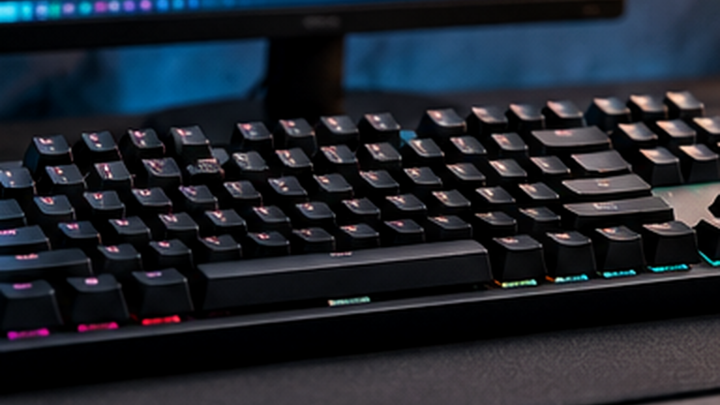

For a developer, choosing between mechanical and membrane keyboards changes the feel of daily coding more than most marketing slogans suggest. The useful comparison is not whether one side looks more professional: it is whether its constraints suit your desk, programming workflow, shared workspace and budget. This researched guide describes the trade-offs, using manufacturer documentation where a specific product illustrates a feature rather than pretending to report a hands-on test.
Quick Verdict
Choose mechanical when you value distinct switch feedback, customization and serviceability. Choose membrane when you prioritize a straightforward, often restrained typing experience. Neither category inherently makes someone a better programmer. The best option is one you can use comfortably for long sessions without missing essential shortcuts.
Key Differences at a Glance
| Factor | Mechanical | Membrane |
|---|---|---|
| Input approach | Individual mechanical switches | Rubber-dome or scissor-based construction |
| Ongoing maintenance | Switches may be replaceable on hot-swap models | Often fewer user-replaceable key components |
| Noise | Depends on build and switch | Depends on build and desk |
| Compatibility | Check keyboard layout and software | Check OS, connection and firmware |
| Typical buying question | Do I like this switch feel? | Do I like the shorter or softer response? |
Prices and warranties attach to specific products, not to entire keyboard categories. Compare actual models and vendors rather than assigning one universal price or warranty to a technology.
Design and Build
Individual mechanical switches create a distinct actuation feel, while many membrane designs use rubber domes or scissor mechanisms. Sound depends on implementation, not simply the category. For mechanical boards, keycaps, stabilizers, cases and desk mats can change perceived sound dramatically. For membrane designs, key spacing, the quality of the rubber dome or scissor mechanism, and the frame’s rigidity matter just as much. A compact keyboard saves desk width but can move familiar navigation functions to an Fn layer.
Weight, thickness and adjustable typing angle may matter for small desks and travel. Lower-profile keys are not guaranteed to suit everyone; wrist height and typing habits differ. Before ordering, compare the dimensions published by the manufacturer and ensure the keyboard fits alongside your mouse.

Performance for Programming and Remote Work
Developers repeatedly use modifiers, arrow keys, brackets, backslash, Escape and command shortcuts. These keys should be easy to locate without awkward reaches. Keychron’s Max series demonstrates programmable layouts with multiple connection options; Logitech’s MX Keys S demonstrates a scissor-based productivity approach with Bluetooth and a USB receiver. These examples are useful reference points, not proof of comparative typing speed.
Mechanical switches can provide distinctive feedback and options for swapping switches, but the sound can become distracting on calls. Membrane and scissor models may feel quieter to some people, although an individual model still needs assessment.
For coding, consistency and familiarity outweigh tiny theoretical performance differences. A board that reliably sends the right shortcut is more valuable than an advertised polling rate you cannot distinguish during text entry.
Comfort and Long-Session Use
Position the keyboard so elbows are relaxed and wrists are not sharply extended. If a raised keyboard causes discomfort, consider changing desk height, chair position, keyboard feet or input-device placement. A wrist rest should not force prolonged pressure onto the sensitive underside of the wrists.
Noise affects surrounding coworkers as well as the user. Soft key contact and a desk mat can reduce the sound transferred through furniture, but no keyboard class is automatically silent. Take regular breaks; an expensive keyboard cannot prevent repetitive-strain symptoms on its own.
Compatibility and Connectivity
Check macOS and Windows modifier mapping, Linux support, ANSI versus ISO layout, corporate-device policies, and configuration software. On Bluetooth keyboards, investigate wake-up behavior, pairing limits, and whether a separate receiver is supplied. Wired USB keyboards need a compatible port, which may mean a hub on thin laptops.
The Keychron K3 Max is specified for Bluetooth, 2.4 GHz wireless and USB-C wired use; its manufacturer lists macOS, Windows and Linux compatibility. Logitech describes MX Keys S as a Bluetooth and Logi Bolt receiver model. Those are model-specific facts rather than blanket promises about every membrane keyboard.
Value for Money
Choose the amount you are comfortable spending, then compare actual product listings with the same layout and switch variant. Mechanical hardware can cost more initially, but hot-swap models may allow a switch replacement without replacing the entire keyboard. Lower-priced membrane boards can be sensible when replacement is inexpensive and uncomplicated.
Never evaluate value solely through RGB lighting, switch-count claims or a temporary promotion. Verify the warranty, shipping cost and return window. A simple board that supports your workflow can be a better value than a technically advanced one with an uncomfortable layout.
Pros and Cons
Mechanical
Pros: Feedback choices, potential hot-swap repairability and wide customization options.
Cons: Some switch designs are louder, taller or more expensive; quality varies widely.
Membrane
Pros: Often straightforward, compact designs with a familiar typing feel and low entry prices.
Cons: Individual switches may be difficult to service, and inexpensive examples vary in consistency.
Which One Should You Buy?
If you spend hours in a quiet shared office, prioritize acoustics and low fatigue before switch popularity. If you frequently change laptops or use an adjustable desk, a well-supported portable model can simplify your setup. If you customize layers and macros for terminals and IDEs, select a board with documented firmware mapping and convenient key access.
Choose mechanical when you genuinely prefer its feedback or repair options. Choose membrane or scissor when you value simplicity, a thinner design or potentially lower noise.
FAQ
Which option is better for long coding sessions?
Neither universally. Layout, hand position, key resistance and desk height have greater importance than the category label.
Which is quieter in a shared office?
Compare individual models; switch and frame design determine most of the audible difference.
Can I switch between Windows and Mac?
Often yes, but shortcut labels, modifier placement and software configuration differ. Check the manufacturer details.
Is the more expensive option always more durable?
No. Check product-specific warranty, component serviceability and return rights rather than assuming price guarantees lifespan.
What should a beginner buy?
Start with an affordable, familiar layout that does not obstruct common shortcuts. Upgrade only when a concrete limitation appears.
Research method and limitations: This comparison uses published Keychron and Logitech specifications and practical workflow analysis. We did not conduct sound measurements, typing-speed trials, laboratory latency testing or long-term reliability testing. Pricing and warranty terms must be checked for the actual seller and region.